
Disclosure: When you buy through links on this site, we may earn a commission at no extra cost to you.
The problem every traveler knows
You land in Rome, walk up to the Colosseum, and the queue stretches around the block. The next entry is tomorrow — and you fly home tonight. Or you book weeks ahead, your plans change, and you wonder if your money is gone.
Those three problems ruin more trips than bad weather: tours sell out, plans change, and travelers pay before they feel sure. This guide solves all three, step by step — verified live on the Viator homepage on 13 November 2026.
What Viator actually is
Viator is a marketplace, not a tour operator: founded in 1995 in Sydney and acquired by Tripadvisor in 2014, it lists experiences run by local operators. Its homepage lists 400,000+ experiences.
So every listing has its own operator, meeting point, and cancellation policy — the steps below work everywhere on Viator, but the fine print is always listing-specific.
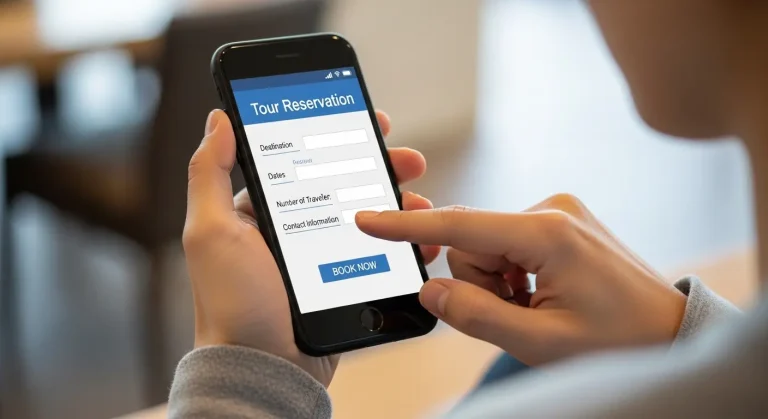
Step 1 — Search by destination, date, and activity
Problem: You search “Rome tours” and drown in hundreds of results, most on the wrong day.
Solution: Search with all three at once — destination, date, and activity — so Viator only shows what is available when you are there.
Type your destination, pick your exact date, and add the activity, such as “Colosseum guided tour.” A specific search gives bookable options, real time slots, and honest prices. If your dates are flexible, try the day before and after too — popular tours sell out on Saturdays and holidays first.
Step 2 — Compare listings with the filters, not the photos
Problem: Every listing looks amazing in its photos. The differences that matter — price, duration, and cancellation terms — are hidden in the details.
Solution: Filter by price, duration, rating, and cancellation policy before you pick a tour.
Check the duration against your day, read a handful of recent reviews, and check the cancellation policy on each listing — free cancellation up to 24 hours before is common on most experiences, but premium or special tours can be stricter.
What “from” prices mean: starting prices, verified on the homepage 13 November 2026 — Empire State Building from $50, Sagrada Familia from $61, the Vatican from $61, Tuscany Day Trip $91 (was $107). Your price depends on date, time slot, and group size.

Step 3 — Read the listing like a contract, not an advert
Problem: Travelers book the headline and miss the fine print — then discover the meeting point is across town, or lunch is not included.
Solution: Check four things on every listing before you pay: what is included, what is not, where you meet, and the cancellation policy.
Most people skip this step, and it causes most day-of disasters. Check what is included (tickets, guide, transport, food) — if it does not say it, assume it is not included. Note the exact meeting-point address and arrival time, and screenshot it; you may not have data roaming on the day.
Worried about fake reviews? No marketplace can guarantee every review is genuine. Read the most recent reviews first, look for specific details (the guide’s name, the meeting point, what went wrong), and be suspicious of a listing where every review sounds identical.
Step 4 — Pick your time slot and add traveler details
Problem: You pick a date, but the time slot you need is gone — or you book for two and turn up as four.
Solution: Choose the time slot first, enter every traveler carefully, and double-check the date before you move on.
Select the start time that fits your day, then add the correct number of travelers, including children’s ages where asked — some tours price children differently. Then check the date once more: a wrong date is the most common booking error, and the confirmation screen shows it clearly, so read it before you pay, not after.
Step 5 — Use Reserve Now & Pay Later when you are not 100% sure
Problem: You found the perfect tour, but your plans are not final — and you do not want to pay for something you might cancel.
Solution: Use Reserve Now & Pay Later: reserve up to four months in advance, pay nothing yet, and pay any time before the automatic payment two days ahead.
Reserve up to four months ahead with no charge at booking, pay at any point afterwards, or let payment be taken automatically two days before the experience. Free cancellation up to 24 hours before most experiences means you can cancel before the deadline if plans change. If the listing does not offer it, or the tour is in very high demand, pay immediately instead — never assume pay-later exists on every listing.
Step 6 — Pay, get your confirmation, and save your voucher
Problem: You paid, but the confirmation email never arrived — or you cannot find the voucher at the meeting point.
Solution: Complete payment, then save the confirmation and voucher where you can reach them offline.
After payment, Viator sends a confirmation and voucher with meeting-point instructions. Within five minutes, save the voucher to your phone (not just in email), screenshot the meeting-point instructions, and check the date, time, and traveler count match. If anything looks wrong, fix it now — not at the meeting point with the guide waiting.
Step 7 — On the day: arrive early, voucher ready
Problem: You arrive on time and still miss the tour, because “on time” meant the departure time, not the check-in time.
Solution: Arrive early, voucher open on your phone, instructions in hand.
Arrive before the start time for check-in, voucher ready and phone charged. If you cannot find the meeting point, contact the operator using the details on your voucher — do not just wait and hope. Guides leave on schedule, and a missed departure is rarely refundable.

Before-you-pay checklist
- Date, time slot, and number of travelers are correct
- Duration fits your day, including travel to the meeting point
- What is included — and what is not — is clear
- Meeting point address saved or screenshotted
- Cancellation policy read on this specific listing
- Reserve Now & Pay Later used if your plans are not final
- Recent reviews read, not just the top-rated one
- Confirmation email is one you can access while traveling
5 costly mistakes to avoid
- Booking the cheapest listing without reading what is included. A cheap ticket without entry fees, transport, or a guide can cost more than the premium option once you add everything.
- Ignoring the cancellation policy. Most experiences allow free cancellation up to 24 hours before, but premium and special tours can be stricter — the policy on your listing is the one that applies.
- Paying in full when your plans are uncertain. If Reserve Now & Pay Later is available, use it — there is no benefit in paying months early for a plan that might change.
- Booking the wrong date. Check the day of the week as well as the date — if you think you booked a Saturday and the confirmation says Tuesday, something is wrong.
- Arriving at the departure time instead of early. Check-in happens before departure — arrive early, voucher ready, or risk watching your tour leave without you.
If this happens, do this
| If this happens | Do this |
|---|---|
| Tour is sold out | Try another date or time slot, or a similar experience from another operator. Popular tours sell out days or weeks ahead. |
| Operator cancels the tour | Check your Viator account or confirmation email for the operator’s message and rebooking options, or contact Viator support through your account. |
| Refund is late | Refunds go back to your original payment method. Check the refund status in your Viator account or confirmation email, then contact Viator support with your booking reference. Timing varies by payment method and bank. |
| You booked the wrong date | Act immediately. If free cancellation up to 24 hours before applies and you are inside that window, cancel and rebook. The sooner you act, the more options you have. |
| You cannot find the meeting point | Use the meeting-point instructions and operator contact details on your voucher, and contact the operator directly — guides depart on schedule. Screenshot the instructions before you travel. |
General guidance only — not a guarantee of any refund or rebooking outcome. The terms on your specific listing always apply.
FAQ
Is Viator legit? Viator is a travel marketplace founded in 1995 in Sydney and acquired by Tripadvisor in 2014, listing 400,000+ experiences run by local operators. It is a marketplace, not the operator, so quality depends on the operator — which is why recent reviews on each listing matter.
How do I cancel a Viator booking? Cancel through your Viator account or app, or through the confirmation email. Free cancellation is available up to 24 hours before most experiences, but each listing has its own policy.
Do I have to pay when I book on Viator? Not always. With Reserve Now & Pay Later you can reserve up to four months in advance with no charge yet, pay any time afterwards, or let payment be taken automatically two days before. Not every listing offers it.
What if the tour I want is sold out? Try another date or time slot, or a similar experience from another operator. Book popular attractions as early as you can — Reserve Now & Pay Later means booking early does not mean paying early.
How do refunds work on Viator? Refunds return to your original payment method. Cancel through your Viator account or app, or via the confirmation email, within the window shown on your listing. Timing varies by payment method and bank.
The bottom line
Booking on Viator is simple once you know the system: search specifically, filter honestly, read the listing, use Reserve Now & Pay Later when plans are uncertain, and save your voucher when it arrives. The travelers who get burned are rarely unlucky — they booked the wrong date, skipped the cancellation policy, or arrived late. Follow the seven steps and none of those will be you.
Ready to book? Start with the experience you have been eyeing and check whether Reserve Now & Pay Later is available — it costs nothing to reserve.
Disclosure: When you buy through links on this site, we may earn a commission at no extra cost to you.